
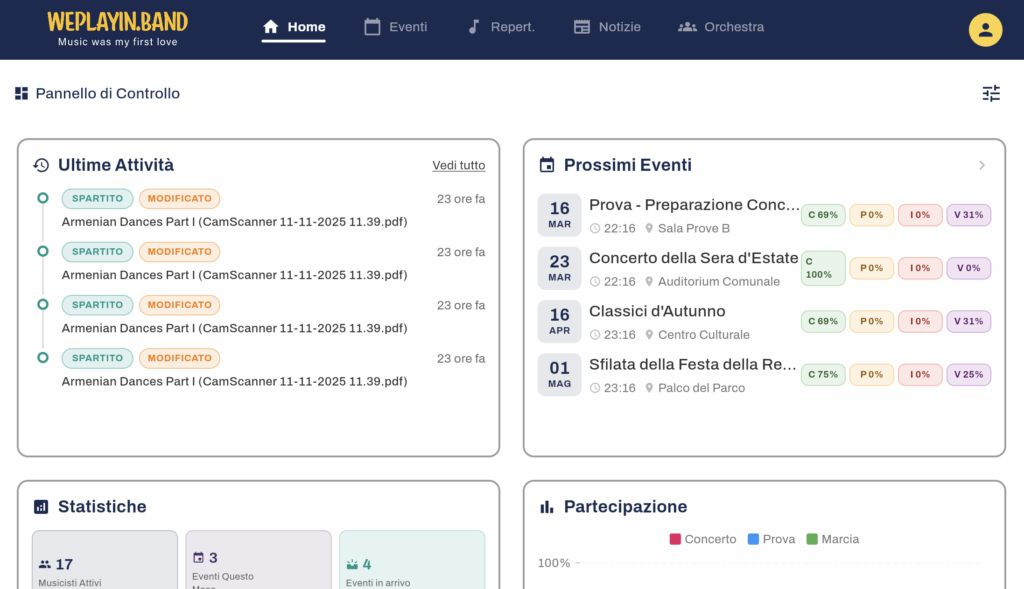
Managing an orchestra means juggling dozens of moving parts — and money is one of the trickiest. With version 3.0, WePlayIn.Band tackles the financial side of orchestra life head-on, while also making it easier than ever to share sheet music, welcome more musicians worldwide, and delegate responsibilities within your team.
What’s new in WePlayIn.Band v3.0: Full financial management (compensations, expense claims with receipt uploads, PDF/Excel export), a built-in sheet music scanner with OCR title detection, German and French language support (now 6 languages total), a new Assistant role for delegation, lineup management with auto-exclusion rules, and event visibility controls. Available now on iOS, Android, and web.Orchestra Financial Management — Finally, No More Spreadsheets
We heard from directors everywhere: tracking who gets paid, who submitted an expense, and whether a receipt is missing was a real headache. Version 3.0 puts an end to that.
Compensations
Directors can now assign compensations to musicians for each event. Every compensation entry includes the amount, the status (pending, approved, or rejected), and an optional note. A summary header at the top of the list shows totals at a glance, and you can tap any status badge to instantly filter the view.
Expense Claims and Receipt Uploads
Musicians can submit expense claims directly from their phone. Need to attach a receipt? Snap a photo or upload a PDF — the file is linked to the claim and visible to the director during the approval process. Directors see a receipt icon on every claim that has one, and tapping it opens a full-screen viewer with zoom for images and a proper reader for PDF files.
Search, Filter and Export
Looking for a specific musician’s expenses? Use the search bar. Want to see only pending items? Tap the badge. Ready to send the report to your treasurer? Export the entire list to PDF or Excel with one tap. The export includes all relevant details: musician name, amount, status, and dates.
This is a complete reimbursement workflow — from submission to approval to export — built right into the app you already use to manage everything else.
Built-In Sheet Music Scanner
Sharing sheet music with your orchestra used to mean scanning pages on a bulky flatbed, emailing PDFs around, and hoping everyone got the right part. Not anymore.
WePlayIn.Band 3.0 lets you upload PDF files directly into the repertoire section, or point your phone camera at any printed score and turn it into a clean, compressed PDF in seconds. The built-in scanner handles cropping and compression automatically, and it even uses OCR to detect the title of the piece — so you do not have to type it in.
Once the file is uploaded, you assign it to a section (e.g., “Strings”), a specific position (e.g., “1st Violin”), or the whole orchestra. Every musician sees only the parts that are relevant to them.
Whether your library lives in a filing cabinet or is already digital, getting it into WePlayIn.Band is now fast and frictionless.
Now Available in 6 Languages
Willkommen! Bienvenue! We have added full German and French support, joining English, Italian, Spanish, and Catalan. The app follows your device language automatically — no settings to change.
This means more orchestras across Europe and beyond can use WePlayIn.Band in their native language, making onboarding faster and reducing friction for every member of the ensemble.
New Assistant Role for Smarter Delegation
Not every trusted member needs full director access. The new Assistant role sits between musician and director in the permission hierarchy. It is perfect for section leaders, librarians, or committee members who need to manage specific areas — like attendance or repertoire — without having the keys to the entire administration panel.
Directors can assign the Assistant role from the musician management screen, and the app automatically adjusts what each user can see and do.
Lineup Management — The Right Musicians for Every Event
When your orchestra plays different formations — full symphony, chamber group, marching band — you need control over who plays what. The new Lineup tab on every event lets directors build the perfect roster.
Auto-Exclusion by Event Type
Each position can now have event type requirements: set a maximum number of musicians per position for each event type (concert, rehearsal, marching band, reduced, small ensemble, and more). When you open the Lineup tab and tap “Auto-exclude”, the app automatically selects who stays and who sits out based on these rules and each musician’s priority order.
Musician Priority Order
Within every position, musicians can be ranked by drag-and-drop. The order determines who gets priority when the formation is smaller than the full roster. First chair stays; last chair sits out. Directors set this once in the Sections & Positions setup, and it applies across all events.
Event Type Requirements on Positions
In the position editor, directors can now configure per-event-type rules: “Keep all”, “Exclude all”, or “Keep N” for each type. This means your 1st Violin section might keep 8 players for a concert but only 4 for a reduced formation — and the app handles the rest.
Confirmed Musician Protection
If a musician has already confirmed attendance and a director tries to exclude them, the app shows a warning. No accidental exclusions of people who already committed.
Event Visibility — Control Who Sees What
Not every event is for every musician. With the new event visibility feature, directors can mark events as visible only to specific groups. This keeps rehearsal schedules clean and avoids confusion when only part of the orchestra is involved.
Section Families — Better Organization
Sections can now be tagged with a family: Strings, Woodwinds, Brass, Percussion, or Other. This classification powers smarter auto-exclusion rules and gives directors a clearer overview of their orchestra’s structure. The family is shown as a badge on each section card in the setup view.
Attendance Visibility Levels
Directors now have granular control over who can see attendance data. Choose between different visibility levels so musicians see only what is appropriate for their role — from just their own status to the full orchestra overview.
Redesigned Action Menus
Every action menu in the app has been redesigned from scratch. The old dropdown menus are gone, replaced by elegant action sheets that appear near the button you tapped. Each action now shows an icon and a descriptive subtitle, making it immediately clear what each option does. This applies everywhere: event details, repertoire, sections, venues, admin console, and more.
Refreshed Design and Dozens of Improvements
Beyond the headline features, version 3.0 includes:
-
A refreshed visual design across all screens, with cleaner cards, better spacing, and more consistent use of color
-
Improved notification settings so musicians can fine-tune what alerts they receive
-
Smoother pull-to-refresh behavior throughout the app
-
A better web experience for orchestras that prefer the browser
-
Paid status tracking for reimbursements, so directors know which compensations have actually been paid out
-
Operation log badges showing the type of action performed, for easier auditing
-
Dozens of under-the-hood improvements for speed and reliability
Frequently Asked Questions
Can I track musician expenses and reimbursements in WePlayIn.Band?
Yes. Version 3.0 includes a complete expense management workflow. Musicians submit expense claims with receipt photos or PDFs directly from the app. Directors review, approve or reject each claim, and export the full list to PDF or Excel for their treasurer. Compensations can also be assigned per event with pending, approved, and rejected statuses.
Does WePlayIn.Band have a sheet music scanner?
Yes. WePlayIn.Band 3.0 includes a built-in sheet music scanner. Point your phone camera at any printed score and the app creates a clean, compressed PDF with automatic cropping and OCR title detection. You can also upload existing PDF files. Sheet music is assigned by section or position, so each musician sees only their relevant parts.
What languages does WePlayIn.Band support?
WePlayIn.Band supports 6 languages: English, Italian, Spanish, Catalan, German, and French. The app follows your device language automatically — no manual settings change needed.
What is the Assistant role in WePlayIn.Band?
The Assistant role is a permission level between musician and director. It is designed for section leaders, librarians, or committee members who need to manage specific areas like attendance or repertoire without full director access. Directors assign the role from the musician management screen.
How does lineup management work in WePlayIn.Band?
The Lineup tab on each event lets directors build the roster for different formations. You set per-position rules for each event type (concert, rehearsal, reduced ensemble), rank musicians by priority with drag-and-drop, and tap “Auto-exclude” to apply the rules automatically. Musicians who already confirmed attendance are protected from accidental exclusion.
Update Today
WePlayIn.Band 3.0 is available now on the App Store, Google Play, and the web. If you are already using the app, the update will arrive automatically. If you are new, there has never been a better time to bring your orchestra’s management into one place.
Have questions or feedback? Reach out to us at support@weplayin.band — we would love to hear from you.